


Product request
You are looking for a solution:

Select an option, and we will develop the best offer
for you


How to Test IPTV Apps Before Release: Recommendations for Operators

Before launching any large-scale IPTV service, it's critical to ensure that the platform operates reliably, performs well, and is free of critical bugs. Even minor issues in the interface, performance, or streaming functionality can lead to user churn and reputational damage.
For IPTV operators, knowing how to test IPTV apps before release is not just a technical concern — it's a strategic priority that directly impacts user retention and revenue growth.
This article explores best practices for IPTV testing and outlines the steps and methods needed to detect and resolve vulnerabilities before going live.
Why IPTV Testing Requires a Specialized Approach
IPTV applications operate under high load, across a wide variety of usage scenarios, and support a large range of devices — from Android TV boxes and Smart TVs to mobile phones and desktops. Beyond the user interface, stream stability, and response times, testing must also account for middleware interactions, billing systems, content formats (SD, HD, 4K), and DRM integration.
Essential components that must be covered during testing include:
- Testing video quality in IPTV apps across varying network conditions
- Seamless integration with external services (CDN, EPG, ad modules)
- Interface consistency across multiple platforms and screen sizes
- Verification of subscription logic, authentication, and billing workflows
- IPTV app stability testing with middleware platforms and backend databases
Key Stages of Effective IPTV Testing
Comprehensive testing spans several stages, each with a specific purpose. Below are the core steps of an effective QA process:
Functional Testing for IPTV Services. This phase focuses on verifying all user scenarios: registration, login, content selection and playback, channel switching, remote navigation, bookmarks, recommendations, and catalog search. Functional bugs, logic flaws, or interface errors are identified at this stage.
Cross-Platform Testing. IPTV apps must work seamlessly across Android TV, WebOS, Tizen, iOS/Android, and web browsers. Common issues include inconsistent UI scaling, different player behaviors, and incompatibility of embedded components.
Testing IPTV Under High Traffic. Stress testing is essential to uncover performance bottlenecks. Operators should simulate IPTV users for stress testing to evaluate system behavior during peak loads. This involves measuring stream latency, backend API load, CDN response time, and database performance. Integration with middleware platforms like Ministra PRO also requires IPTV stream validation and capacity stress tests.
Playback Performance & Video Buffering Analysis. For live content, it's crucial to validate adaptive streaming under variable bandwidth conditions. Adaptive bitrate testing, stream switching, pause/seek functionality, subtitles, and multi-audio tracks should all be validated.
Security and DRM Compliance. Content protection and DRM testing ensure that streams cannot be pirated or downloaded. Tests must confirm that license policies are enforced, tokens are secured, and unauthorized access is blocked.
Additional IPTV Testing Recommendations
IPTV testing must be thorough but also efficiently managed. Here are the most effective principles to follow:
Use Real Devices. Emulators can only approximate performance. Real Smart TVs, set-top boxes, and smartph
ones are essential to simulate authentic behavior. Operators should prioritize the most commonly used hardware among their users.
Deploy a Production-Like Test Environment. Recreate a full-scale testing environment with CDN and middleware integration. Avoid isolated testing conditions; aim to test in infrastructure that mirrors real-world deployments.
Involve User Focus Groups. Near the end of development, run a beta phase with real users. User experience testing IPTV is key for helping uncover UX issues like difficult navigation, unclear labels, or inconsistent content structure.
Run Regression Tests Frequently. New features and updates can introduce regressions. Automated test scripts should continuously validate key functionalities to ensure nothing breaks during rollouts.
Why Middleware with QA Features Simplifies Testing
Middleware platforms like Ministra PRO offer tools that streamline QA processes. Operators benefit from built-in monitoring, logging, IPTV crash reports, and traffic management tools that accelerate debugging and issue resolution. The system also supports structured integration standards, which simplifies building a robust test environment.
App Deployment Readiness Starts with Testing
Robust QA is the foundation of a successful IPTV launch. App deployment readiness depends on validating both technical and user-facing components across diverse devices and platforms. Using dedicated middleware like Ministra PRO enhances QA workflows, reduces deployment risks, and helps ensure the delivery of a stable, high-performance experience.
By thoroughly testing performance, scalability, and usability, operators can secure long-term user trust, increase retention, and support the sustainable growth of their IPTV services.
Recommended
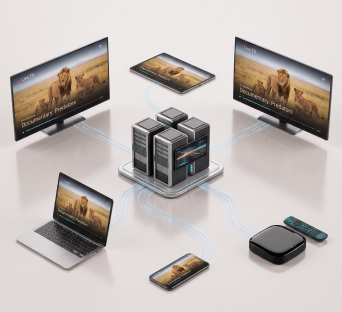
How to Expand an IPTV Platform to Web, Android, iOS, and Smart TV
For an IPTV operator, launching a service on just one type of device is rarely enough anymore. With users now watching linear channels on a TV, viewing content on a smartphone, opening catch-up content in a browser, or using an IPTV set-top box as the main screen at home, expanding a service across multiple client platforms is not simply a matter of releasing additional apps.
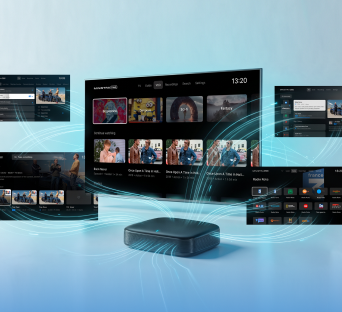
All Content in One Service: Live TV, VoD, Radio, Archive, TimeShift, and EPG in Ministra PRO
A television service has long been more than just a list of channels. Viewers now want to watch live broadcasts, return to a missed program, pause a show, schedule recordings of individual episodes or an entire series using nPVR, or choose a movie from a catalog. At the same time, all these capabilities should feel like parts of a single media environment rather than separate systems.
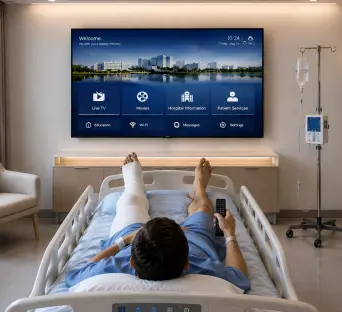
IPTV and the Modernization of Hospital Digital Infrastructure
Because hospitals operate around the clock, it's essential that their digital infrastructure supports stable departmental operations, data security, internal communications, and patient comfort. As a result, a hospital’s digital infrastructure requires a stricter approach than the infrastructure of a hotel, office, or residential complex.