

Product request
You are looking for a solution:

Select an option, and we will develop the best offer
for you


How UI/UX Is Created for TV and Mobile Applications: Customization, White-Label, and Branded Experience in IPTV/OTT
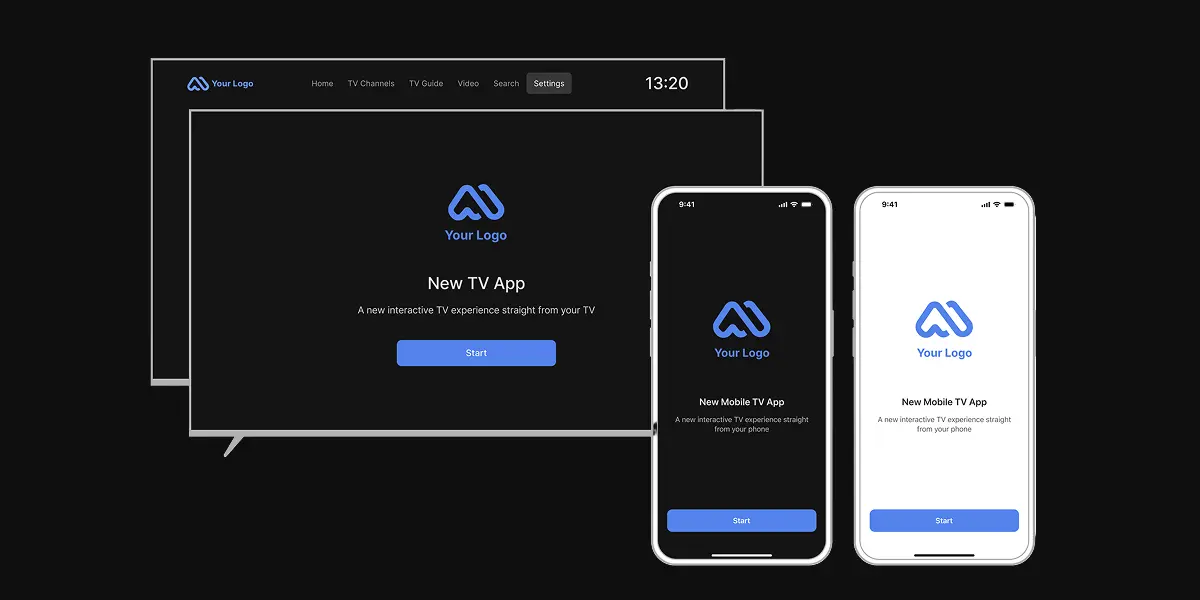
The TV and mobile app interface of an IPTV/OTT service is not just its appearance. For the viewer, it determines how easy it is to find a TV channel, open the program guide, continue watching a movie, choose the audio language, go to VOD, or return to the last viewed content. For the operator, the interface becomes part of the product, shaping brand perception, the structure of access to content, and the quality of the user experience.
When a service works on televisions, TV set-top boxes, smartphones, tablets, and in a browser, the interface must be both visually appealing and adaptable to different devices.
A TV user interface requires large navigation elements, clear focus logic, and convenient remote-control operation. On the other hand, a mobile application must account for a touch screen, fast search, vertical scenarios, and the user’s habit of watching content in different situations.
As we can see from the above, IPTV/OTT app customization and design is not about “repainting a ready-made application”, but its ability to work with service logic, platforms, content, tariffs, access, user scenarios, and the brand. In Ministra PRO, the IPTV middleware platform, this task is solved through ready-made end-user applications, platform settings, themes, interface templates, and customized applications for operators.
What white-label means in IPTV/OTT
White-label in IPTV/OTT is a model in which the operator receives an application or platform solution that can be used under its own brand. For the subscriber, such a service looks like the product of a specific operator, with its logo, style, set of functions, and access logic.
Using a white-label solution for a TV app UI/UX design doesn't mean developing a unique application from scratch. More often, a branded IPTV application is a combination of a ready-made technological base and configurable elements: the logo, splash screen, home screen, available sections, TV guide templates, login behavior, settings visibility, and individual interface parameters.
This approach to IPTV app development helps the operator launch the service faster, preserve brand recognition, and avoid building the entire application ecosystem independently.
Ministra PRO allows an operator to launch an IPTV/OTT service under its own brand and adapt the interface to its audience. End-user applications are available on popular mobile and TV platforms, and the operator can configure the appearance, screen structure, available sections, and individual application behavior scenarios.
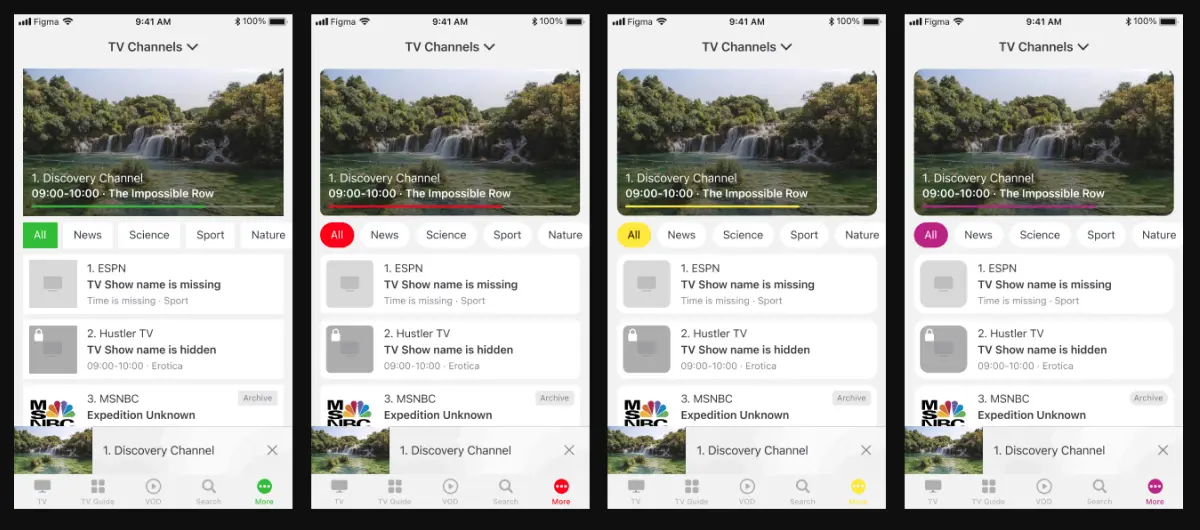
In Ministra PRO, the operator can configure the color in the mobile application
Why TV and mobile interfaces are designed differently
A TV and a mobile streaming app solve one business task, but operate in different conditions. A TV user is positioned at a distance from the screen and controls the application with a remote. They don't press small elements, scroll long lists as quickly as on a phone, and often watch content together with other people.
Therefore, the TV interface must be large, readable, predictable, and work well with focus — the user must always understand which element is selected and what will happen after pressing a button.
A mobile application works differently. The user holds the screen close, switches quickly between sections, enters text, searches for content, manages the account, and can send video to another screen. In Ministra PRO, mobile scenarios are complemented, for example, by the Cast function, where the user can send content from an iPhone or Android device to another screen. The mobile application can also be used as MAGic Remote to control a MAG Linux STB.
Cross-platform design doesn't mean that one layout is simply stretched across different screens, but that the service preserves a common structure and branded experience, adapting controls, information density, element size, and scenarios to a specific platform.
What a good IPTV/OTT application user experience consists of
Creating a good IPTV/OTT interface doesn't start with what color the buttons should be, it begins with the answer to a question: what should the user be able to do quickly and without explanation? In a television service, there are several such scenarios, including opening a TV channel, viewing the program guide, or changing the audio language.
In Ministra PRO, these scenarios are connected with the platform’s capabilities. Users can watch linear TV, Timeshift TV and DVR, receive notifications about favorite programs, add channels to favorites, view programs by content type, continue watching from where they stopped, enable subtitles, and change the audio language. For VOD, trailers, continue watching, and playback quality will change depending on the bandwidth available.
For the operator, application design must take into account not only viewer convenience, but also the commercial logic of the service. The home screen, sections, packages, tariffs, access to settings, device restrictions, and playback rules must work consistently. In Ministra PRO, service packages can contain TV channels, VOD, radio, modules, and options, while a tariff plan defines the services available to an account and the number of devices.
What can be customized in Ministra PRO
Customization in Ministra PRO is divided into several levels. Some settings are related to visual design, some to application behavior, and others to access to functions. Certain changes require application build or update.
At the application launch level, the operator can choose what's displayed on the splash screen during loading: a logo or a video. It's also possible to define which screen the user will see after opening the application, whether it be the home screen, main menu, or the last viewed TV channel. Some of this behavior is configured through configuration files, while some is set during the first application build or when updating to a new version.
During application build, individual elements can be configured for usability and accessibility. For example, the size and weight of the text can be increased to improve readability.
For full-screen applications, it's possible to choose whether to show the operator’s logo in the upper-left corner or display the clock in the upper-right corner of the screen. Preset templates are used for TV Guide and TV Channels, defining how content is displayed in the application. For example, TV Guide light is suitable for televisions with more basic technical specifications, while TV Channels classic is designed for large screens, including Samsung TV and TV set-top boxes.
For Linux set-top boxes, Ministra PRO provides theme configuration through the administrative panel. Themes define the visual elements of the end-user application. The operator can go to Settings > Appearance, select a theme, upload images for Background 16:9, Background 4:3, and Logo, and also choose the logo position. The preview dynamically reflects theme changes.
A separate level of custom IPTV app design is related to home screens and VOD sections. In Ministra PRO, it's possible to create screens, add sections to them, set names in different languages, and use display conditions. For instance, a screen can be shown only on Apple devices if the device meets the filter conditions. Custom covers for VOD screens can also be uploaded.
What the operator can configure independently
It's important for the operator to understand the boundary between independent configuration and changes that require supplier involvement.
The elements usually configured independently are those available through the administrative panel or configuration files: content structure, service packages, tariffs, home screens, individual launch parameters, themes for Linux set-top boxes, access to modules, and the behavior of certain functions.
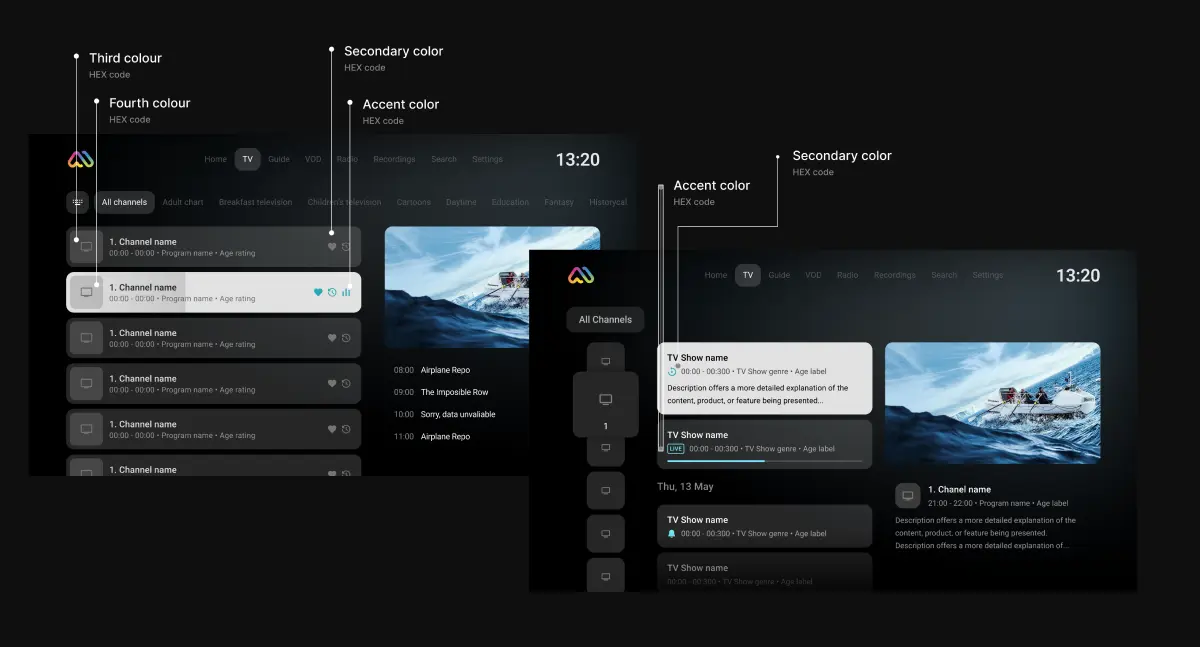
The operator can customize the user interface
The operator can also influence the availability of functions through service packages. Modular packages define what the user can do in the application: open the IPTV section, VOD, radio, personal account, application settings, home screen, or block individual options, such as rewind.
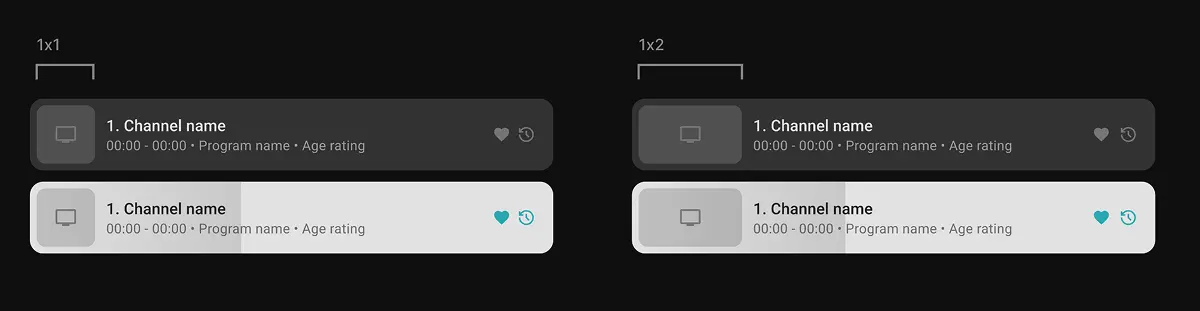
The channel logo format can be configured
In practice, this means the operator can create different versions of the user experience for different tariffs and scenarios. One segment can be offered a basic TV service, another — TV with VOD and radio, and a third — a service with a home screen, recordings, or restrictions. This is no longer just interface design, but control over which sections and functions the user sees inside the branded application.
How the scope of customization is agreed
Application customization usually begins with a brief and agreement on requirements before the project is launched. The operator describes which interface elements need to be adapted: logo, splash screen, background, section structure, available modules, interface language, login screen behavior, and other parameters.
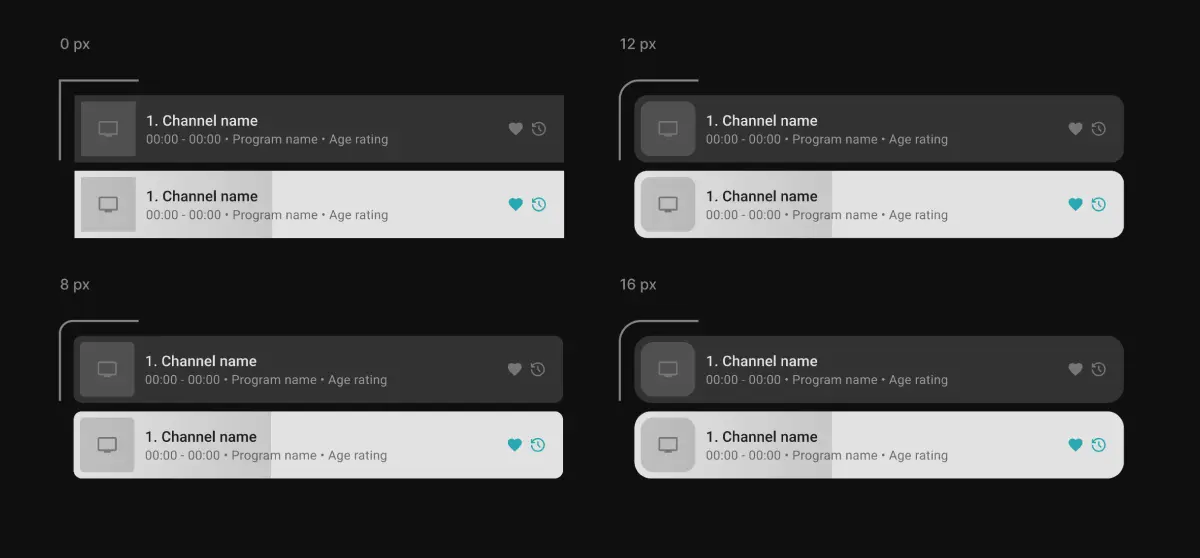
Corner radius customization
What customization gives the operator
Customization of a white-label OTT platform helps create a recognizable and manageable user experience. The logo, splash screen, background, section structure, available modules, and interface language make the service part of the operator’s brand. This is especially important for companies that sell IPTV/OTT as a standalone product or as part of an internet package.
Customization allows you to create your own application logo
Customization also helps reduce the load on support. If the user immediately lands on the right screen, sees a clear structure, doesn't have access to unnecessary settings, and receives only the functions included in their tariff, the number of errors and requests can decrease. For hotels, campuses, residential complexes, and other managed environments, the ability to hide settings is especially important as it helps preserve a stable usage scenario and prevent unwanted changes.
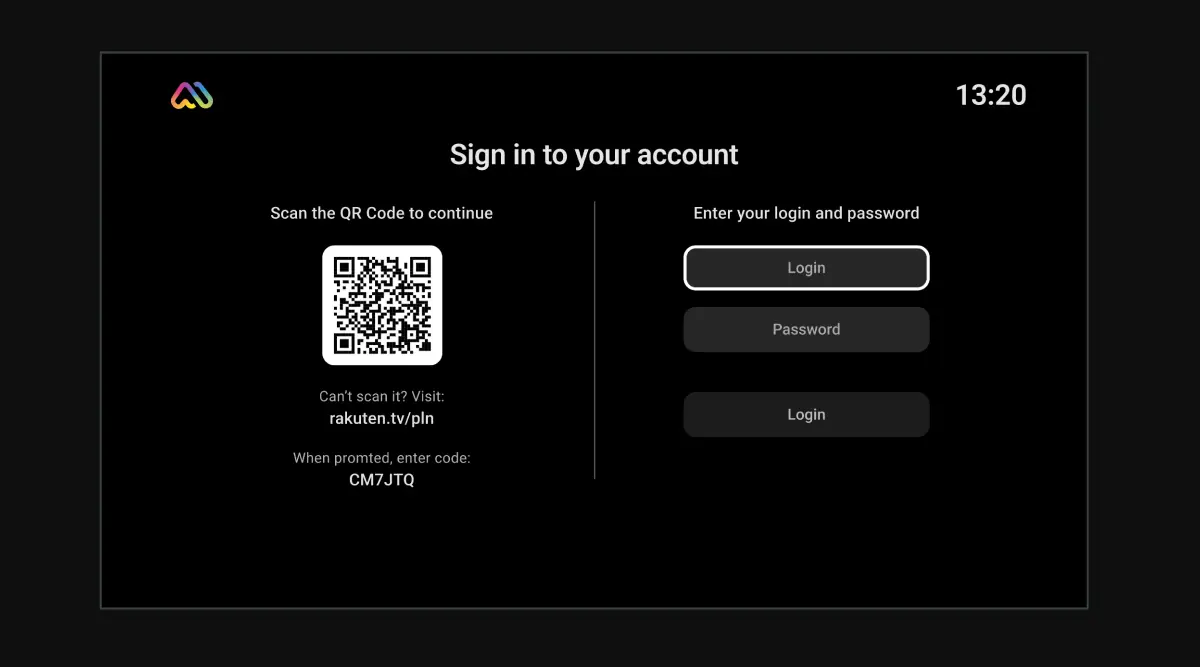
Upon request, a QR code for account login can be placed during customization
Another advantage of customization is flexibility when working with different platforms. The operator can maintain a unified branded experience on a TV, set-top box, smartphone, tablet, and in a browser while taking into account the specifics of each device. This is essential for multiscreen IPTV/OTT services, where the user expects to see a recognizable interface on all platforms.
What not to expect from white-label and customization
Customization of UI/UX for streaming platforms doesn't replace product strategy. If there's no clear content structure, tariffs, and service scenarios provided by the operator, a new logo and background will not make the service convenient.
White-label also doesn't mean unlimited design freedom. A cross-platform IPTV app must take into account platform limitations, app store requirements, device technical capabilities, performance, TV guide templates, remote-control behavior, playback rules, and security.
Some elements can be changed independently, some only during application build, while others require support involvement.
However, don't expect customization as part of the OTT platform design to instantly create a unique service if there is no systematic work behind it. A branded IPTV service is built from several levels: interface, content, tariffs, access, stream quality, device support, updates, and analytics.
In Ministra PRO, these levels are interconnected, with the backend managing access to streams, the database storing information about servers, accounts, and linked devices, and the end-user applications providing subscribers with access to content.
How to approach IPTV application design in practice
Work on the interface should begin with mapping user scenarios, requiring the operator to define which actions the user performs most often: opening the last channel, viewing EPG, finding a movie, enabling VOD, selecting the audio language, continuing playback, logging in via QR code, sending video to the TV, or opening the personal account. Then, it's necessary to understand which scenarios are critical for TV, which are critical for the mobile application, and which must be equally available on all platforms.
The next step is the service structure. It's necessary to decide what will be on the home screen, which sections are mandatory, which functions depend on the tariff, which devices are supported, and which restrictions are needed for security.
In Ministra PRO, the home screen can be organized into sections, while access to functions and content can be linked to service packages and tariffs. This makes it possible to design the interface not separately from the business, but together with the commercial model.
After that, the scope of customization should be defined. The basic level can include the logo, background, splash screen, home screen, and available modules. A deeper level affects templates, the login screen, individual interface parameters, settings visibility, full-screen mode, TV guide behavior, and the build of customized applications.
For some of these tasks, the operator can use the administrative panel and configuration files, while others require support.
For detailed information on configuring themes, home screens, applications, and other Ministra PRO features, see the Ministra PRO documentation.
If your business is looking at how to design IPTV apps, we hope that our guide has shown that UI/UX for IPTV and OTT is not simply decoration for a ready-made application, but a way to connect the operator’s brand, content structure, tariffs, devices, and user scenarios into a unified system.
White-label and customization help bring the service to market faster, preserve a recognizable branded experience on TV, mobile devices, and in a browser. It's important to stress however that this doesn't replace well-designed architecture, support, quality content, and an access model.
In Ministra PRO, the operator can configure themes, the home screen, launch behavior, modules, tariffs, and TV Guide templates for a truly unified multiscreen experience.
Some of these changes are made through the administrative panel or configuration files, while deeper customization, application build parameters, and individual visual or platform-specific changes require support involvement.
Recommended
All Content in One Service: Live TV, VoD, Radio, Archive, TimeShift, and EPG in Ministra PRO
A television service has long been more than just a list of channels. Viewers now want to watch live broadcasts, return to a missed program, pause a show, schedule recordings of individual episodes or an entire series using nPVR, or choose a movie from a catalog. At the same time, all these capabilities should feel like parts of a single media environment rather than separate systems.
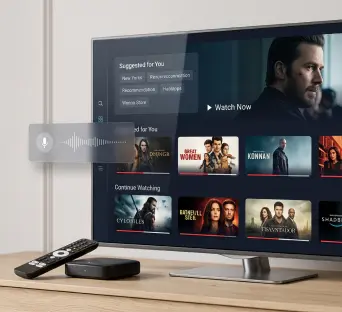
Interactive TV Trends on Google TV: What to Know in 2027
When choosing a television platform for 2027, businesses need to assess more than picture quality and the app selection. Equally important considerations are how viewers will find content, what capabilities the operator will have, and how predictably the equipment will perform after updates.
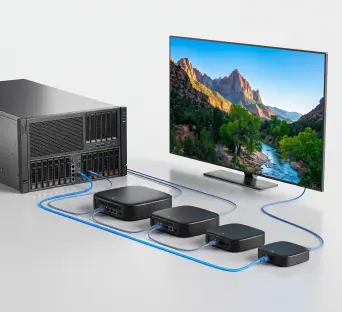
How to Reduce Video Delivery Costs Without Compromising Quality: CDN, Edge Cache, and Multi-CDN
As an IPTV/OTT service’s audience grows, so do both revenue and video delivery costs. For an operator, this means additional terabytes of outbound traffic. For a hotel, it means greater pressure on its internet connection. And in the case of maritime transport, it means the video service has to compete with other applications for limited bandwidth.