


Product request
You are looking for a solution:

Select an option, and we will develop the best offer
for you


How to Choose an IPTV Set-Top Box: Key Criteria for Integrators
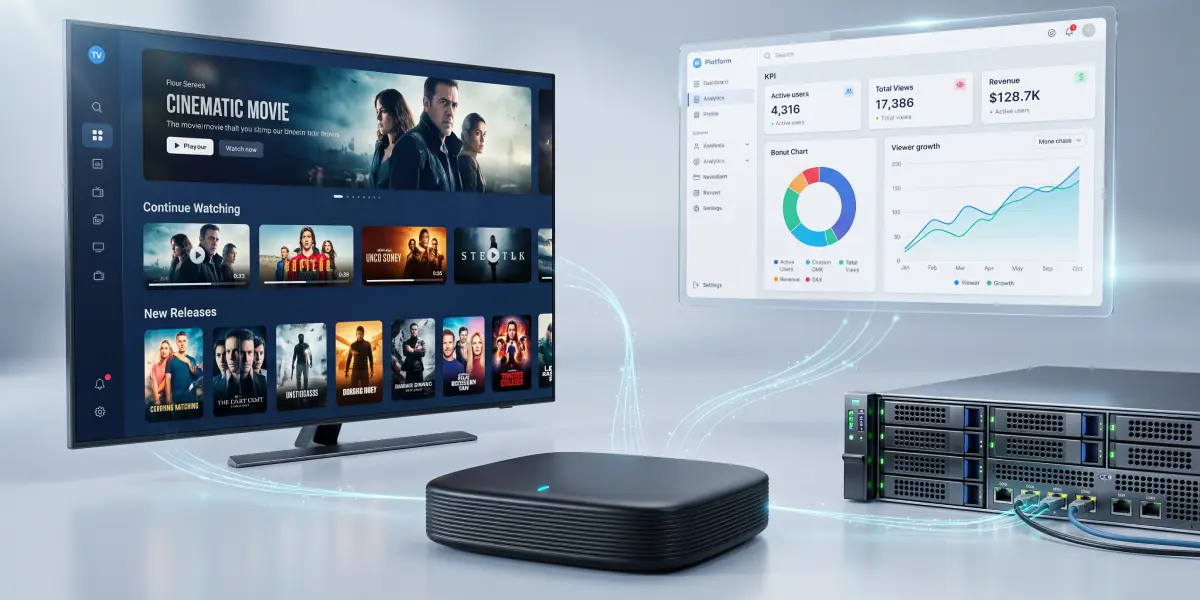
Choosing an IPTV set-top box for a project starts with the requirements of the TV service. The device must play the required content, work with the selected platform, support the necessary administration features, and behave predictably after updates.
Mistakes at this stage can lead to repeat engineer visits, launch delays, and costs that were not included in the original budget.
Comparing set-top boxes solely by processor, memory capacity, and purchase price is therefore not enough. Integrators need to assess the complete setup of any possible commercial IPTV solutions, including hardware, firmware, client application, middleware, network, and support terms.
This is the configuration that must be tested before a bulk purchase.
Start with the Use Case
First, define what users should see on screen and the conditions in which the system will operate.
An operator may need linear channels, catch-up TV, and a video library. A hotel may require a branded welcome screen, simple controls, and guest data removal. On a vessel, access to local content when external connectivity is unavailable may take priority.
Audience expectations also matter. According to J.D. Power’s 2025 study, 40% of surveyed hotel guests in North America consider a Smart TV or the ability to stream their own content an essential amenity. In 2019, that figure was 21%.
These findings highlight the importance of this use case, but they don't determine the choice of hardware — connection methods, authentication, and guest session termination must be designed separately.
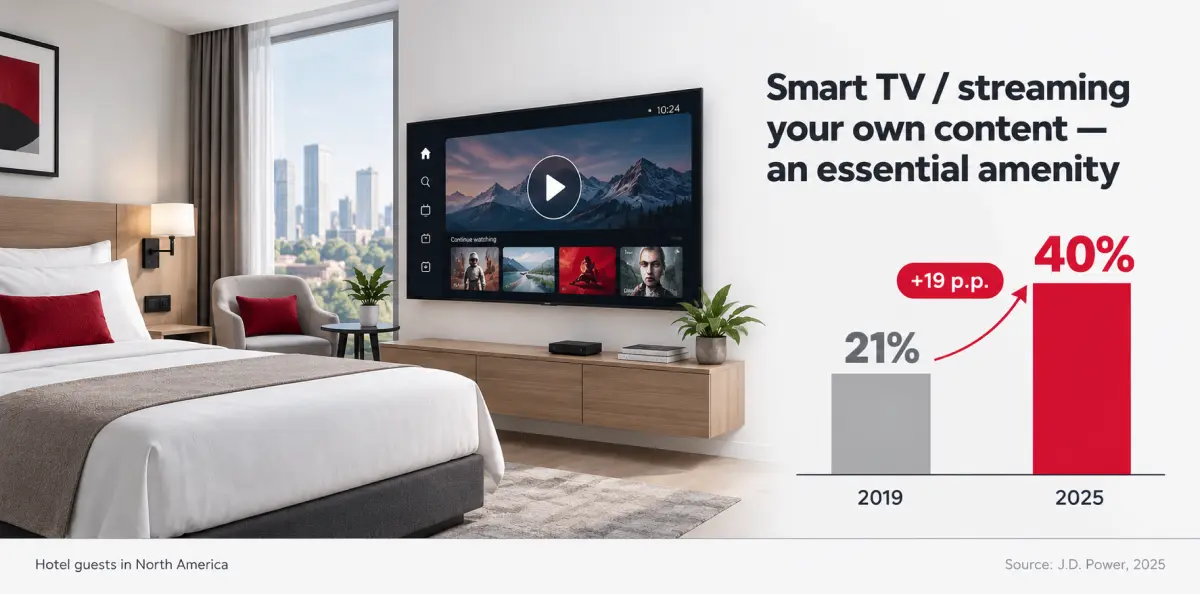
Guest expectations are rising
Use these expectations to define mandatory requirements. If a device lacks a critical feature, a lower price or a more powerful processor will not make up for it.
Linux or Google TV: Compare the Capabilities of Specific Devices
Dedicated Linux IPTV set-top boxes are worth considering for projects with a predefined interface and a controlled set of features. Check compatibility with the operator’s portal, available configuration tools, update management, and support for local services.
Linux itself, however, does not guarantee offline operation, the absence of external connections, or the ability to modify the entire firmware. These capabilities depend on the device’s implementation and the manufacturer’s terms.
Google TV media players are worth considering when a project needs TV apps and an ecosystem familiar to users, but the platform’s presence does not replace checks on specific services: their availability in the deployment country, support for the selected model, and the required playback quality. Google states that app and feature availability may vary by region and device manufacturer.
Separately, establish what control is available over the home screen, automatic app launch, and access to settings. For example, Google TV’s Apps only mode hides personalised recommendations on the home screen but retains sponsored content and teasers. It doesn't establish whether the device supports system settings restrictions, automatic guest data removal, or centralised management.
For an integrator, the key question regarding their IPTV set-top box selection is whether the required use case can be implemented and maintained throughout the system’s service life. The answer should be backed by a demonstration on the selected model.
Test the Entire Playback Chain
The phrase “supports IPTV” is too broad for a technical specification. Delivery protocols, codecs, containers, content protection, and client application capabilities all matter when selecting professional IPTV equipment.
For IPTV over IPv4 multicast, test stream reception and the client’s ability to join and leave multicast groups. On the network side, assess IGMP snooping settings and querier operation in line with the architecture. These mechanisms control multicast traffic distribution; they cannot be reduced to a single checkbox in the set-top box specifications.
For HLS and MPEG-DASH, test playback startup, quality switching, recovery after connection interruptions, and protected content playback. For example, Android Media3 documentation describes support for containers, audio and video formats, and adaptive streaming technologies separately. This is an example of a specific software implementation, rather than proof of the capabilities of all Android or Linux set-top boxes.
Provide the supplier with test streams and access to a middleware integration test environment. Check more than whether a picture appears: test authentication, the electronic programme guide, catch-up TV, subtitles, audio tracks, and channel switching.
Record the results for a specific hardware revision, firmware version, and application version.
Clarify Content Protection Requirements
Check compatibility with DRM or CAS separately. These are different approaches to content protection and access control, so confirming that one system works does not establish support for the other.
Listing Widevine or PlayReady in the IPTV specifications isn't enough. Confirm the supported protection configuration, licence server and application operation, and playback at the required quality. Media3 documentation shows that DRM compatibility depends, among other factors, on the encryption scheme and stream format. If the project uses CAS, check its compatibility with the selected model and client software.
Testing should cover the entire video output chain of the set-top box, HDMI output compatibility and connection, intermediate equipment, and television. HDCP requirements are determined by the service and content being used. For example, Netflix specifies an HDMI connection supporting HDCP 2.2 or later for 4K/HDR. This is a requirement of a particular service, rather than a universal condition for every IPTV stream.
Assess Hardware Under Realistic Loads
4K support does not describe a device’s full capabilities. Clarify the codec, profile, bit depth, frame rate, and HDR formats in the specifications. Sports channels require correct handling of the source frame rate, while an existing TV network may also require proper processing of interlaced video.
Establish process and RAM requirements to assess whether these will be met alongside the interface and applications. A basic operator client and a system running several applications need different levels of resource headroom and hardware support.
Storage must accommodate not only the installed software but also updates, cache, and system data.
HEVC or AV1 support is useful if these codecs are already used or included in the service’s development roadmap. Video codec support alone does not reduce network traffic. Potential bitrate reductions depend on content encoding, the selected settings, and the required picture quality.
Installation conditions also matter. A set-top box behind a television, in a recess, or inside furniture operates under different conditions from one on an open laboratory bench. Extended load testing helps identify overheating, interface slowdowns, and unstable power delivery. However, it doesn't replace the manufacturer’s information on permitted operating conditions and equipment service life.
Ensure Compatibility with the Network and Televisions
When considering Ethernet vs Wi-Fi for fixed installations, Ethernet generally provides more predictable connectivity. However, choose the port speed based on actual traffic, accounting for peak bitrate, concurrent operations, and updates. A gigabit interface will not resolve packet loss or network configuration errors.
Test Wi-Fi at the installation location under the expected load. Support for the 5 GHz band doesn't guarantee a stable connection through walls and metal partitions. In a hotel, simultaneous operation across multiple rooms matters, and on a vessel, radio signal propagation between compartments is important. Cisco documentation also notes the impact of obstacles, including poor penetration through thick metal walls.
Television compatibility also requires testing. Check the picture after a cold start, audio, wake-up from sleep, and HDMI-CEC control. For concealed installations, consider the remote control type: infrared control may require an unobstructed receiver or a manufacturer-supported IR extender.
For hotel casting, separately test pairing a phone with the correct room, ending the guest session, and preventing access to neighbouring screens. Guest isolation must be coordinated with device discovery and pairing: simply enabling Wi-Fi client isolation may disrupt casting. Google, for example, warns of setup limitations for its consumer streaming devices on networks using AP/client isolation and captive portals.
The capabilities of a professional hospitality solution must be checked separately.
Establish How the Device Fleet Will Be Maintained
Before purchasing, ask the supplier to demonstrate the full process for remote device management: connect a new set-top box, assign its configuration, update the application, and recover the device after a failure.
Maintenance requires visibility into software versions, connection status, and playback errors. However, an “online” status does not confirm that the user can actually see a picture and hear sound.
Before purchasing, establish which updates can be managed: firmware, system components, and the client application. For each layer, clarify whether updates can be tested on a limited IPTV deployment, scheduled for installation, and recovered from after a failure. These capabilities should not be assumed to be available by default.
If rollback is required, test it separately. Downgrade protection may prevent a return to older software. Automatically reverting to a working slot after a failed A/B update is a different mechanism and doesn't mean that any previous system version can be installed at will.
For regulated networks, agree on external connections, management system hosting, administrator permissions, and activity logging. Ask the supplier how long security patches will be provided and how vulnerabilities will be communicated. A promise of long-term support should translate into specific commitments.
Check Internet Dependencies for Offline Sites
Operation without external internet access is a property of the entire system. A local video server is not enough if the application can't start without cloud authentication or the content licence requires renewal over an external network.
For vessels and isolated sites, test a cold start with the external connection disabled, access to the local portal, and the operation of essential supporting services. A brief disconnection is not enough, as some dependencies only become apparent after a restart or when authentication and licences need to be renewed.
For protected content, offline playback depends on the DRM implementation and licence terms. For example, Media3 supports the use of stored offline keys, but this doesn't mean that every service permits offline viewing. Stopping playback when a licence expires may be normal system behaviour.
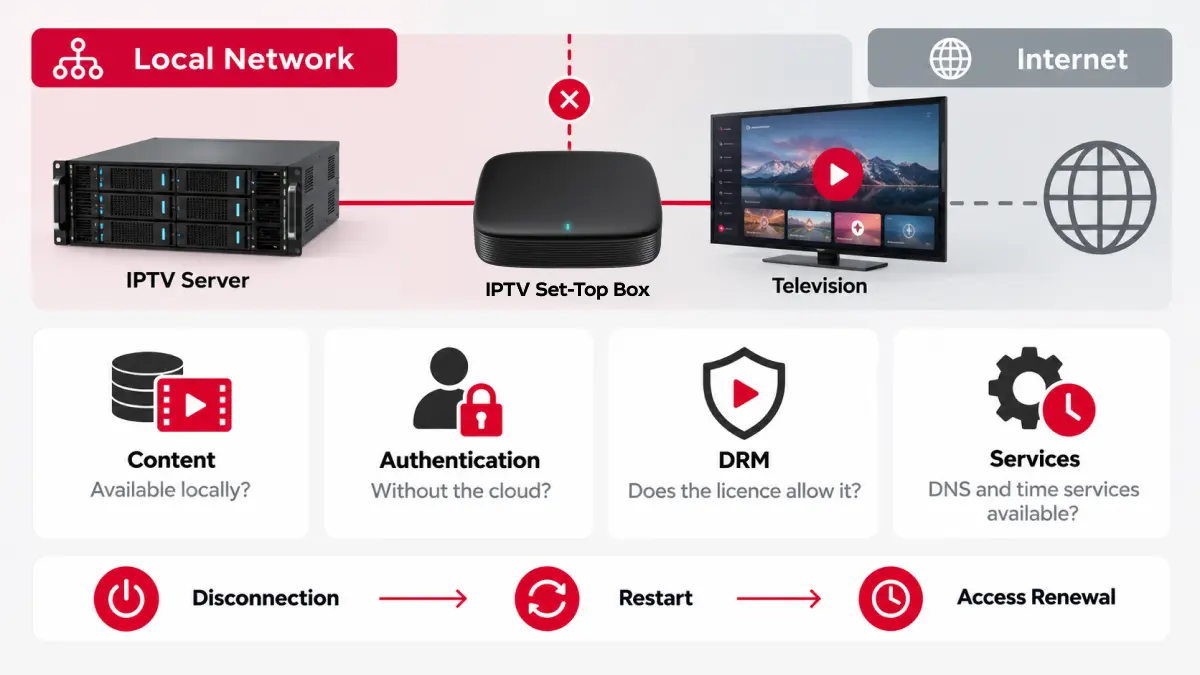
No Internet: What Should You Check?
The technical specification must distinguish between the absence of external internet access and the loss of the local network. A set-top box can receive IPTV from a local server without internet access, but if the connection to that server is lost, continued viewing requires content stored on the device itself and support for the corresponding playback mode.
Compare the Total Cost of Ownership
The device price is only part of the budget. The calculation should include integration, licences, configuration, installation, maintenance, spare units, and replacements. A more expensive set-top box is justified if its advantages deliver verifiable cost savings or meet mandatory requirements.
Compare options over the same operating period and with the same scope of services. Otherwise, a low initial price may conceal additional costs, while a higher price may include support that another supplier charges for separately.
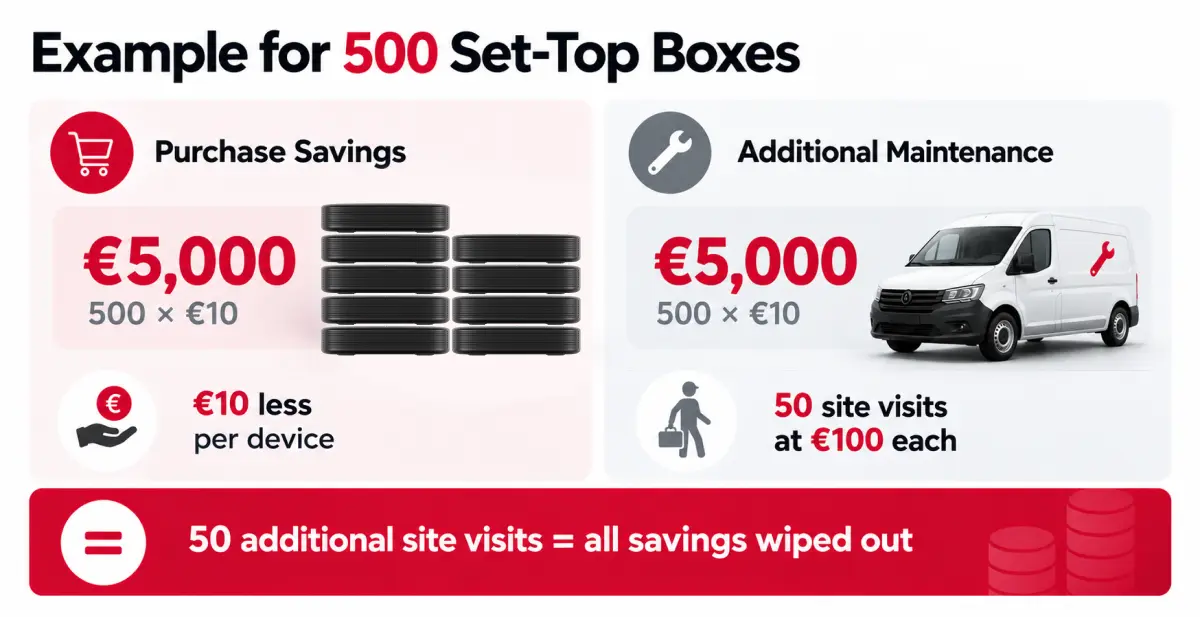
When Savings Disappear
Supply terms also affect project economics. Clarify the availability of follow-up batches, the notification process for hardware changes, warranty replacement lead times, and whether remote controls and power supplies can be purchased separately. For a distributor, predictable future deliveries are just as important as the specifications of the first batch.
Make the Decision After a Pilot
The pilot should reproduce conditions at the intended site: representative televisions, the operational network, actual content, and the planned equipment placement. Testing a single sample with a demonstration video is insufficient grounds for a bulk purchase.
Agree on acceptance criteria before testing:
Don’t neglect data analysis. Pay attention to the following indicators:
- service startup and channel switching times, including slower cases;
- stability during extended playback and interface performance under load;
- recovery after network outages, power loss, and server component restarts;
- bulk configuration, updates, and configuration recovery;
- project-specific features: guest data removal, restricted access to settings, or offline operation.
The customer and integrator define the thresholds together. There is no universal startup time or acceptable delay for every project. The report should record the hardware revision, firmware and application versions, test conditions, identified limitations, and responsibility for resolving issues.
The right IPTV set-top box is one that has been tested in the intended use case and comes with clear operating, support, network connectivity options, and repeat supply terms.
To help the supplier identify suitable options, provide a site description, the number of screens, network parameters, the platform in use, test content, and management requirements. This allows you to compare verified operating system compatibility and project costs before proceeding with the purchase.
Recommended

Building a Partner Network: How to Expand Middleware Presence Across Regions
For an IPTV operator, middleware has long since become more than just the technical core of a service. It's the layer through which the operator manages users, devices, tariffs, channels, VoD, EPG, access rights, events, billing integrations, and client applications.
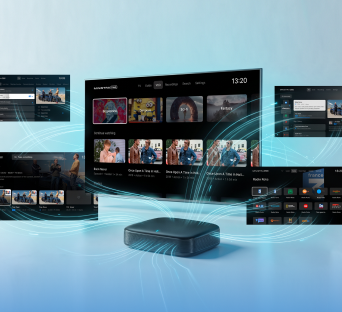
All Content in One Service: Live TV, VoD, Radio, Archive, TimeShift, and EPG in Ministra PRO
A television service has long been more than just a list of channels. Viewers now want to watch live broadcasts, return to a missed program, pause a show, schedule recordings of individual episodes or an entire series using nPVR, or choose a movie from a catalog. At the same time, all these capabilities should feel like parts of a single media environment rather than separate systems.
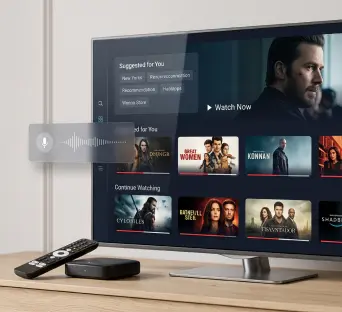
Interactive TV Trends on Google TV: What to Know in 2027
When choosing a television platform for 2027, businesses need to assess more than picture quality and the app selection. Equally important considerations are how viewers will find content, what capabilities the operator will have, and how predictably the equipment will perform after updates.